
This content is for
Continuing and Graduating Students
Diploma FAQs for Graduating Students
SRFS Sidebar Menu
SRFS Below Traversable
The following are frequently asked questions regarding diploma processing.
Please note:
- For holds, visit the Holds on Student Records & Accounts page.
- For questions concerning degree checkout and the degree conferral process, please contact your academic advisor(s) or program manager(s).
- For issues with Path@Penn, please contact the SRFS Student Service Center (SSC) via email at pathatpenn@pobox.upenn.edu.
- For issues with PennKey, please contact PennKey Support.
Follow the instructions outlined in the Diploma Checklist for Graduating Students.
Contact diplomas@pobox.upenn.edu with questions or concerns.
Diplomas are issued three times each year (May, August, and December).
- The diplomas of May graduates are expected to be mailed in late July.
- The diplomas of August graduates are expected to be mailed in mid-October.
- The diplomas of December graduates are expected to be mailed in mid-March.
Please note:
December 2025 Graduates:
If you urgently require a diploma for certification or employment, you can purchase early access to your certified electronic diploma (CeDiploma). CeDiplomas are only made available after a student's degree or degrees are conferred to their academic records.
Information about how to request an early CeDiploma will be available at the end of the Fall term. This is due to the fact that your degree(s) must be conferred before placing an order for early CeDiplomas.
To verify whether you have submitted a graduation application and to review the details of your submission, please follow these steps:
- Log into Path@Penn.
Click the “View my student profile” link:
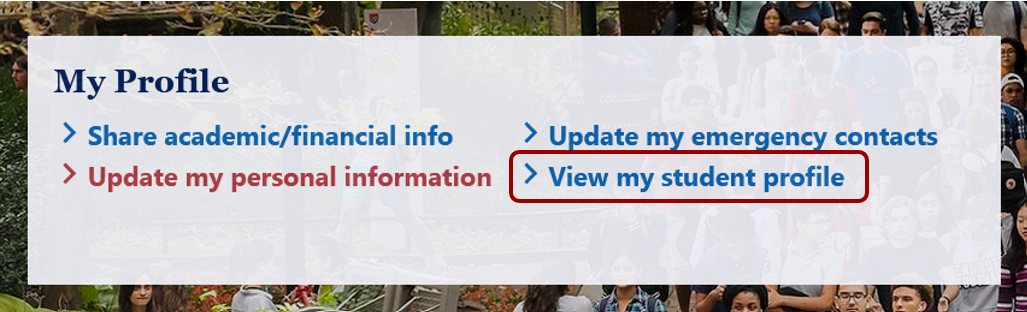
Click the “Active” link under the Graduation Information section:

Note: Once submitted, you cannot change or revise the application.
Diploma names are submitted for printing on diploma(s) via the Graduation Application. Once submitted, you cannot change or revise the application. To review information submitted on your Graduation Application(s):
- Log into Path@Penn.
Click the “View my student profile” link:
Click the “Active” link under the Graduation Information section:
The Graduation Application(s) you submitted will open in a new tab. Please review the information carefully.
Important:
- Diploma names must be provided in English. Do not include parentheses, salutations (e.g., Dr., Mr., Ms.), academic degree abbreviations (e.g., MD, MS), or the term “N/A.”
- Your preferred first name may only be used if it matches the legal first name listed in your official student record.
- If the name you want on your diploma differs from your official student record, you must submit both a Legal Name Change or Correction Request and a Diploma Name Change using the Student Data Update Form.
- May graduates must submit a graduation application by March 1st to ensure their names are printed in the university's Commencement program.
- Students who opt-out of FERPA Directory Information will not have their names printed in the Commencement program.
Submit a Diploma Name Change form with the required documentation. Forward the confirmation of the request completion email to diplomas@pobox.upenn.edu. Note: Graduation Application(s) will not reflect this update.
Important:
- Diploma names must be provided in English. Do not include parentheses, salutations (e.g., Dr., Mr., Ms.), academic degree abbreviations (e.g., MD, MS), or the term “N/A.”
- Your preferred first name may only be used if it matches the legal first name listed in your official student record.
- If the name you want on your diploma differs from your official student record, you must submit both a Legal Name Change or Correction Request and a Diploma Name Change using the Student Data Update Form.
- May graduates must submit a graduation application by March 1st to ensure their names are printed in the university's Commencement program.
- Students who opt-out of FERPA Directory Information will not have their names printed in the Commencement program.
Submit a Legal Name Change or Correction form with the required documentation. Forward the confirmation of the request completion email to diplomas@pobox.upenn.edu. Note: Graduation Application(s) will not reflect this update.
Important:
- Diploma names must be provided in English. Do not include parentheses, salutations (e.g., Dr., Mr., Ms.), academic degree abbreviations (e.g., MD, MS), or the term “N/A.”
- Your preferred first name may only be used if it matches the legal first name listed in your official student record.
- If the name you want on your diploma differs from your official student record, you must submit both a Legal Name Change or Correction Request and a Diploma Name Change using the Student Data Update Form.
- May graduates must submit a graduation application by March 1st to ensure their names are printed in the university's Commencement program.
- Students who opt-out of FERPA Directory Information will not have their names printed in the Commencement program.
Diploma mailing addresses are submitted for shipping diploma(s) via the Graduation Application. Once submitted, you cannot change or revise the application. To review information submitted on your Graduation Application(s):
- Log into Path@Penn.
Click the “Update my personal information” link:
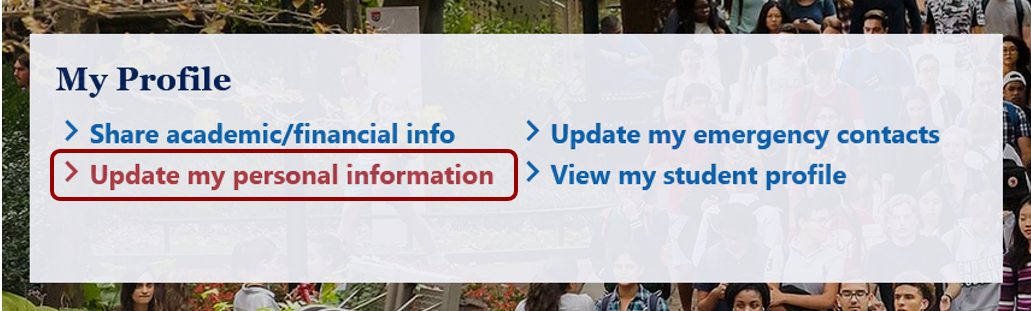
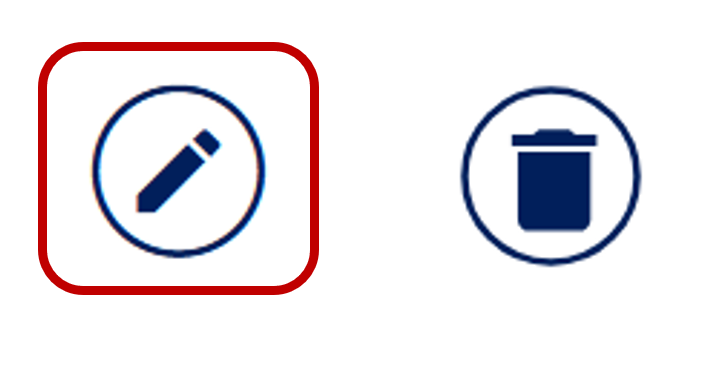
Scroll down to the Address section of the screen and click the pencil icon under the Diploma Mailing address:
- Ensure the "From Date" matches the date you submit the update. Using a past or future date may prevent the address from being saved correctly.
- Edit your diploma mailing address and click Save.
Note: Graduation Application(s) will not reflect this update.
- Log into Path@Penn.
Click “View my student profile” link:
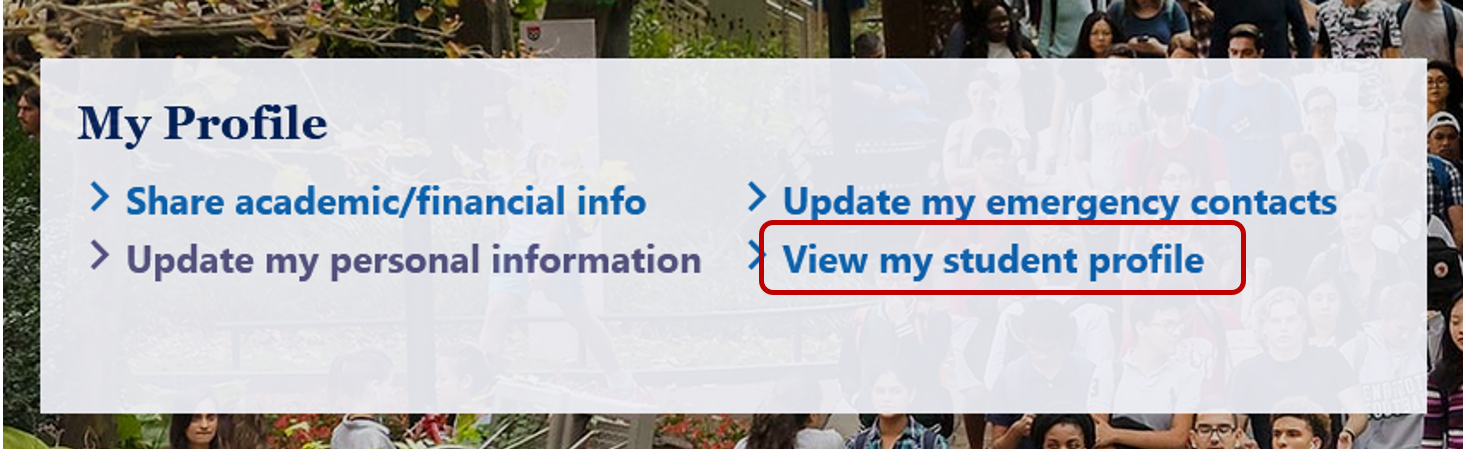
Click the “Holds” section in the upper right-hand corner:

Click the triangle icon to view holds information:
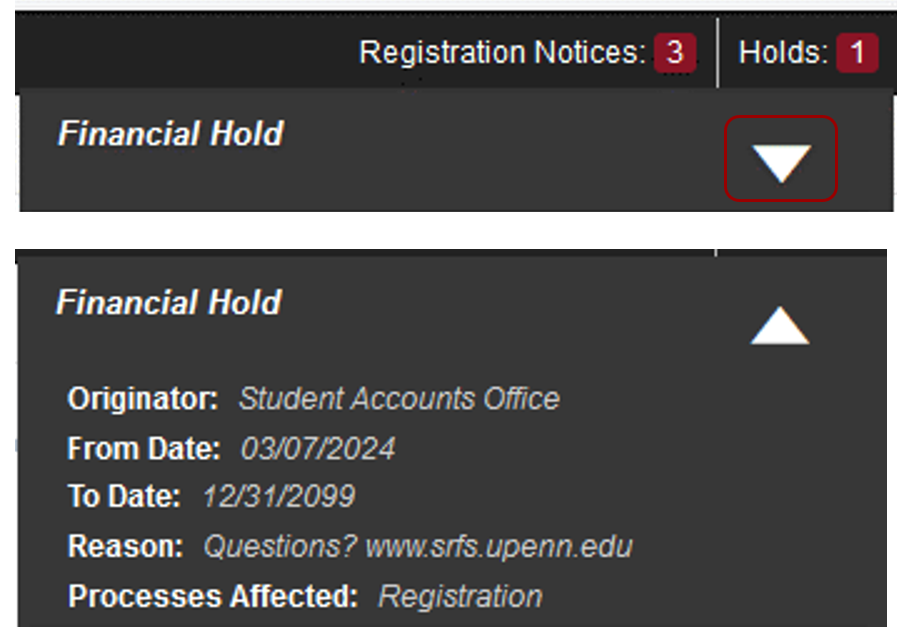
Note:
- Only a Diploma Hold, a Financial Hold, and/or a Judicial Hold can prevent your diploma from being mailed.
- Update Required Information holds will not prevent the mailing of your diploma.
- If you see the message below, no action is required.

Information on how to remove holds on student records and accounts can be found on the Holds on Student Records & Accounts page.
For questions or concerns, contact the correct office listed under each hold type on the Holds on Student Records & Accounts page.
December 2025 graduates: Payment links will be made available at the end of the Fall term. Note that this option is available to students whose diplomas are not distributed during their school ceremonies.
Please note:
- Please note that selecting an express secure shipping option does not expedite the processing of your diploma. Processing times remain the same regardless of the shipping method chosen.
- If you choose the default domestic shipping option, no action is needed.
- If you choose the default international shipping, no action is needed.
- If you choose the secure domestic shipping option, pay via a secure online payment form linked below.
- If you choose the secure international shipping option, pay via a secure online payment form linked below.
| Default Shipping | Express Secure Shipping | |
| Domestic Shipping Address - USA |
|
|
| International Shipping Address - Canada, Mexico, and European countries |
|
|
| International Shipping Address - Other Countries |
|
|
Graduates can have their diplomas mailed to a trusted friend or relative. When the online payment option opens, please make sure to enter "c/o First Name Last Name" in the first address line, including the name of your trusted friend or relative based on the shipping method selected.
The name on your transcript is the legal name on file in the student record system, i.e., your Student Record name. If you’ve legally changed your legal name, please submit a Legal Name Change or Correction request, then forward the request completion confirmation email to diplomas@pobox.upenn.edu.
For GNBT students, if you have not yet updated your legal name, please contact our office via email at diplomas@pobox.upenn.edu.
Yes. After you have confirmed that your degree(s) have been awarded on your unofficial transcript via Path@Penn, you have the following options:
- National Student Clearinghouse, for a small fee, your employer can verify your degree.
- Office of the University Registrar’s Degree Verification Letter, Unofficial Transcript, or Official Transcript.
No. Diplomas are mailed with a generic English translation and a letter from the President. Display accessories are available at the Penn Bookstore, or any store that offers framing.
The size of the current diploma is 9 5/8 inches by 12 1/4 inches.
The University of Pennsylvania diploma has been printed in Latin since its first graduating class in 1757.
Yes. You can order an English translation online by following these steps by following the steps under the "Diploma Translations Services" section of the Diploma/Translation Order Request Form FAQs page.
No. On-campus pick-up is not available.
No. Diplomas are not issued for completed certificate programs at the University of Pennsylvania.

