
This content is for
Alumni and Current Students
Diploma/Translation Order Request Form FAQs
SRFS Sidebar Menu
SRFS Below Traversable
Please read the following before placing an order for a diploma service:
1. This Frequently Asked Questions page pertains to the Diploma/Translation Order Request form, which is utilized to request a replacement diploma, report a damaged diploma, inquire about a missing diploma, request a Certified Electronic Diploma (CeDiploma), request a diploma translation, and other diploma services.
2. Please be advised that payment for the selected services on this form must be processed through Paradigm, the official diploma vendor for the University of Pennsylvania, or Cloverflex links. Please pay close attention to the instructions listed on each request type.
3. PennKey credentials (username and password) are required to access the Diploma/Translation Order Request form.
Troubleshooting Form Access Issues:
Recent Graduates: If you need help obtaining or recovering your PennKey credentials, please visit PennKey Support.
Alumni: If you experience issues accessing the form with your PennKey:
1. Log in to Path@Penn using your PennKey credentials.
2. In the Support section select the Path Forms (BP Logix) User Activation link and submit the form for assistance.

For further details regarding University of Pennsylvania (Penn) diplomas, please visit the Diplomas page.
This section explains the procedures for ordering different types of replacements for a Penn diploma:
- Ordering a replacement of a physical diploma.
- Ordering a replacement for a damaged physical diploma.
- Resolving issues with diplomas that have not arrived within the expected timeframe.
- Requesting a Certified Electronic Diploma (CeDiploma).
Please select "Replace my physical diploma" on the Diploma/Translation Order Request form if you need to request a replacement for a paper diploma that you have previously received or if the expected mailing timeframe for your paper diploma has exceeded one year. Please refer to the "Replacement Diplomas" section of the Diplomas page for information on a replacement diploma, including its appearance compared to an original diploma.
Troubleshooting Form Access Issues:
Recent Graduates: If you need help obtaining or recovering your PennKey credentials, please visit PennKey Support.
Alumni: If you experience issues accessing the form with your PennKey:
1. Log in to Path@Penn using your PennKey credentials.
2. In the Support section select the Path Forms (BP Logix) User Activation link and submit the form for assistance.
To order a replacement of your physical diploma, complete the following steps:
Step 1 - On the Diploma/Translation Order Request form, select the following service:

Step 2 - On the Paradigm Credential Request payment page, complete the steps outlined below:
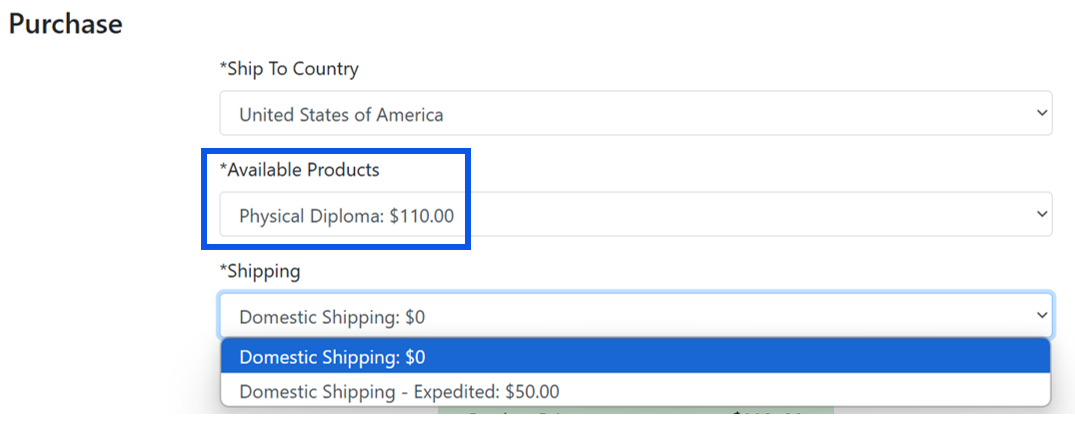
- Select the "Physical Diploma: $110.00" service, choose the destination country, and the shipping method from the drop-down menus in the Purchase section:
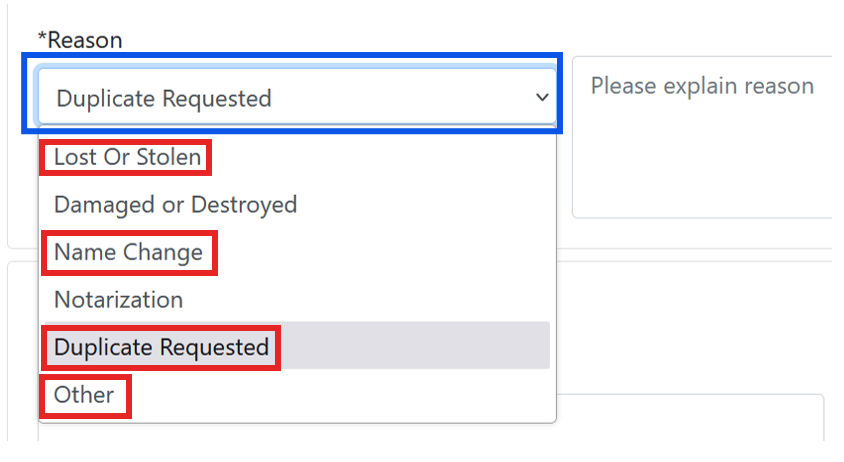
In the Credential Information section, select the appropriate reason for the replacement diploma and explain the reason selected
- Complete the Paradigm Credential Request form and pay for the service selected. Payment options include PayPal and credit/debit cards.
Step 3 - Return to the Diploma/Translation Order Request form:
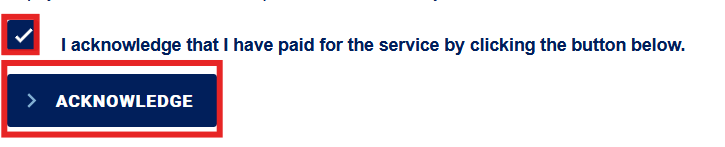
- Acknowledge that you have paid for your selected diploma service:
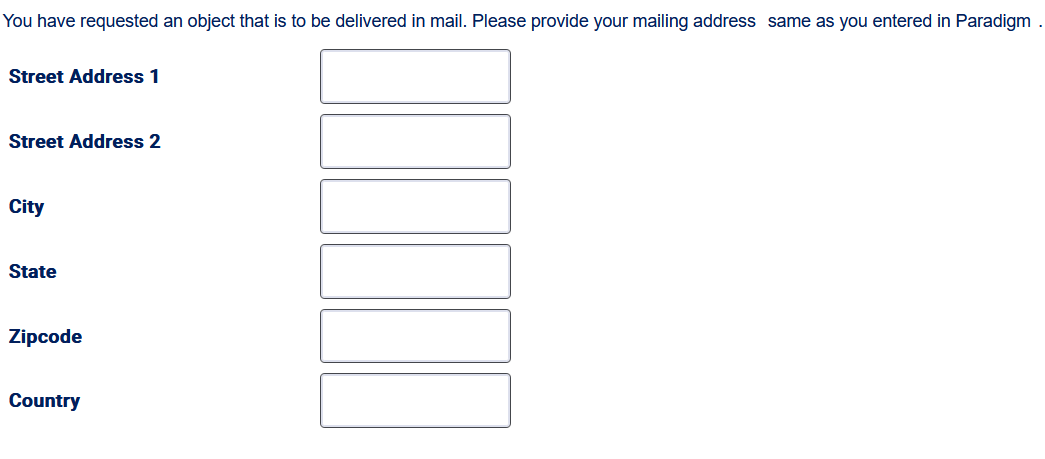
- Enter a mailing address. Note: If a different name other than your own was used, please use the "Street Address 1" field to add "Care of [Name]":
- Click the Submit button on the Diploma/Translation Order Request form to complete your request.
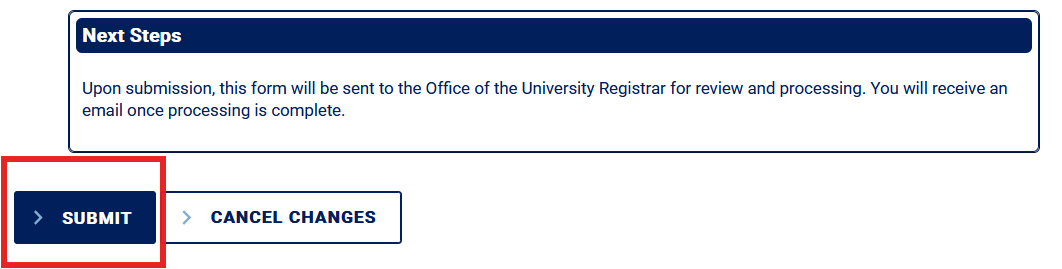
Note: You do not need to attach a document to submit a "Replace my physical diploma" request.
Please select "Replace a diploma that was damaged on arrival" on the Diploma/Translation Order Request form if you need to request a replacement for a physical diploma that you previously received that arrived damaged.
Troubleshooting Form Access Issues:
Recent Graduates: If you need help obtaining or recovering your PennKey credentials, please visit PennKey Support.
Alumni: If you experience issues accessing the form with your PennKey:
1. Log in to Path@Penn using your PennKey credentials.
2. In the Support section select the Path Forms (BP Logix) User Activation link and submit the form for assistance.
Note the following:
- If you submit the form within one year of your diploma’s mailing date, our office can reissue your original printed diploma for free. Please do NOT fill out the form if the one-year timeframe has passed. If more than one year has passed, you must submit a replacement diploma request .
- If more than one diploma was damaged upon arrival, please submit a separate form for each damaged diploma.
- Further, since the current office policy is to have only one original diploma in existence, you must provide evidence that your damaged diploma has been destroyed to receive a free reissue. To show proof of destruction, please tear your diploma into three vertical pieces, take a picture containing those three pieces, and then attach that to the form.
For diplomas that arrived damaged within one year of the diploma mailing date, complete the steps outlined below:
Step 1 - On the Diploma/Translation Order Request form, select the following:
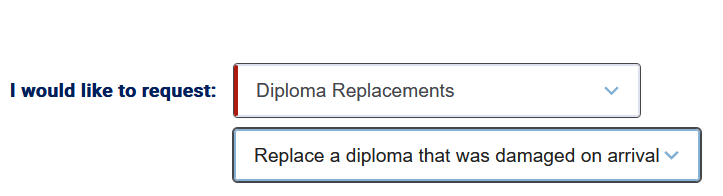
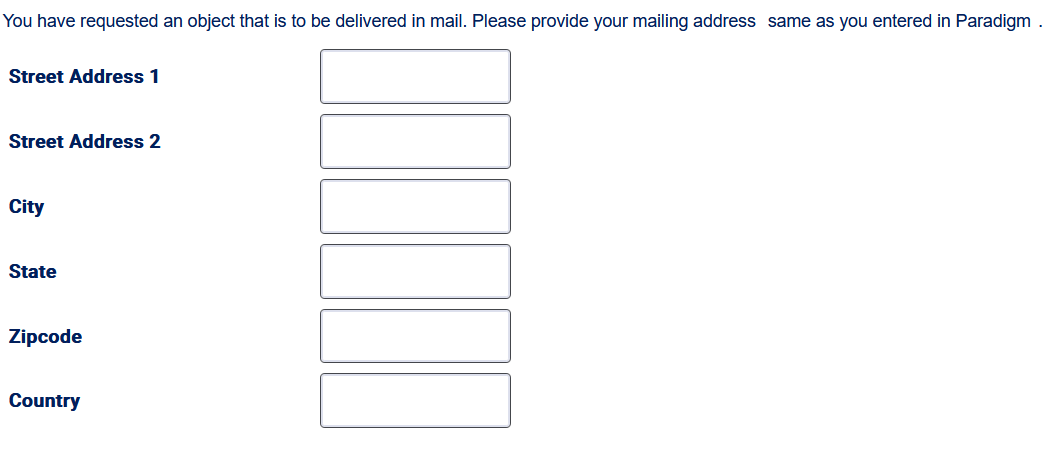
Step 2 - Enter a mailing address. Note: If a different name other than your own was used, please use the "Street Address 1" field to add "Care of [Name]":
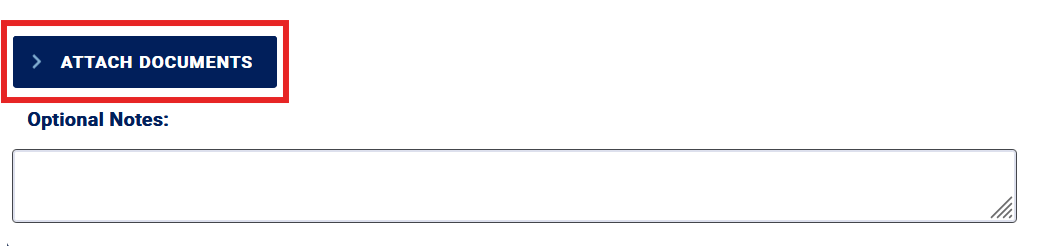
Step 3 - Attach an image of the damaged/destroyed diploma to the Diploma/Translation Order Request form. Reminder: To show proof of destruction, please tear your diploma into three vertical pieces, take a picture containing those three pieces, and then attach that to the form.
Step 4 - Click the Submit button on the form to complete your request:
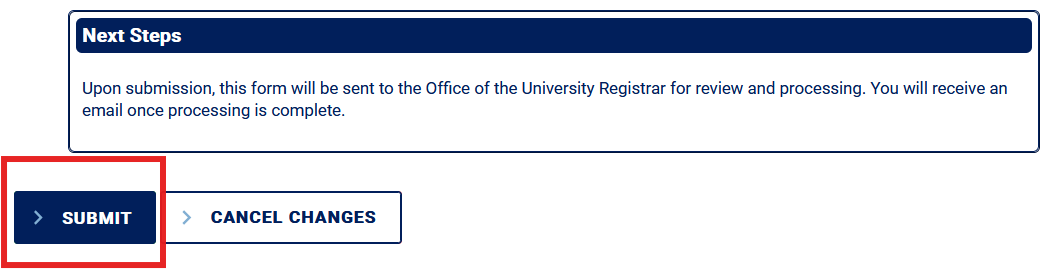
For diplomas that arrived damaged beyond one year of the diploma mailing date, complete the steps outlined below:
Note: Alumni who encounter access issues using your PennKey credentials (username and password), please complete the OUR Forms PennKey Access Issue form.
Step 1 - On the Diploma/Translation Order Request form, select the following:
Step 2 - On the Paradigm Credential Request payment page, complete the steps outlined below:
- Select "Physical Diploma: $110.00" service, choose the destination country, and the shipping method from the drop-down menus in the Purchase section:
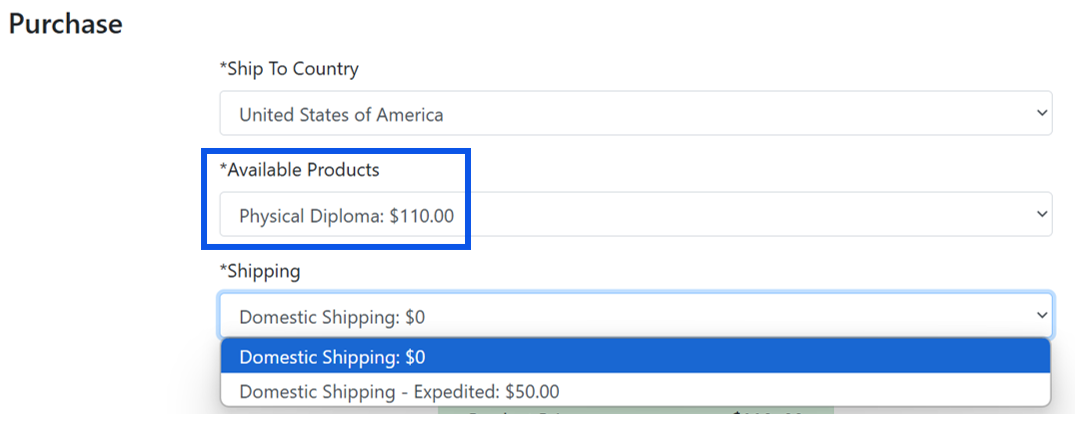
In the Credential Information section, select the "Damaged or Destroyed" reason for the replacement diploma and provide a brief explanation in the Credential Information section:
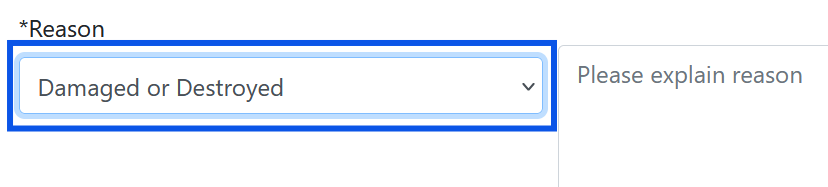
- Complete the Paradigm Credential Request form and pay for the service selected. Payment options include PayPal and credit/debit cards.
Step 3 - Return to the Diploma/Translation Order Request form:
- Acknowledge that you have paid for your selected diploma service.
- Enter a mailing address. Note: If a different name other than your own was used, please use the "Street Address 1" field to add "Care of [Name]":
- Click the Submit button on the form to complete your request.
Diplomas are mailed 8-10 weeks after graduation and are not considered missing until eight weeks from their mailing date. Diplomas incorrectly addressed or sent to the wrong address are often returned to the Office of the University Registrar (OUR). You will be contacted for a new address if your diploma is returned to the OUR. Please do not report your diploma as lost or missing until the 8-10 week time frame has passed.
Troubleshooting Form Access Issues:
Recent Graduates: If you need help obtaining or recovering your PennKey credentials, please visit PennKey Support.
Alumni: If you experience issues accessing the form with your PennKey:
1. Log in to Path@Penn using your PennKey credentials.
2. In the Support section select the Path Forms (BP Logix) User Activation link and submit the form for assistance.
If it has been eight weeks or more since your diploma was mailed and it has not arrived, complete the steps outlined below:
Step 1 - On the Diploma/Translation Order Request form, select the following:

Step 2 - Enter a mailing address. Note: If a different name other than your own was used, please use the "Street Address 1" field to add "Care of [Name]":
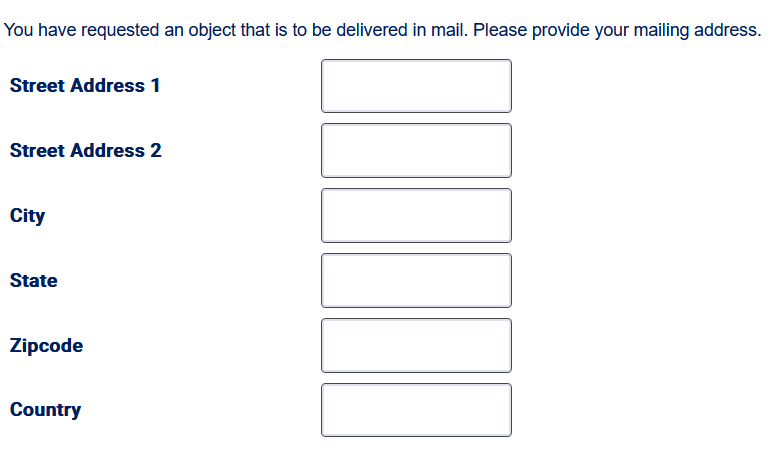
Step 3 - Click the Submit button on the form to complete your request.
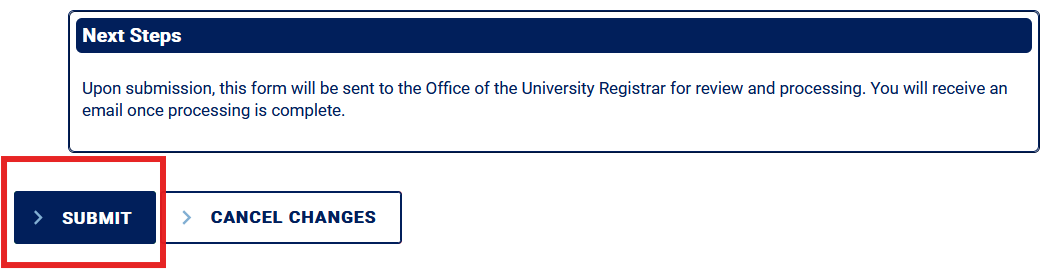
Note: You do not need to attach a document to submit an "Inquire about a diploma that never arrived" inquiry.
The Certified Electronic Diploma (CeDiploma) is an official, secure, and verifiable electronic version of the Penn diploma that can be easily shared. The CeDiploma is accepted worldwide by many employers and governments, as well as by federal and state medical boards within the United States.
Troubleshooting Form Access Issues:
Recent Graduates: If you need help obtaining or recovering your PennKey credentials, please visit PennKey Support.
Alumni: If you experience issues accessing the form with your PennKey:
1. Log in to Path@Penn using your PennKey credentials.
2. In the Support section select the Path Forms (BP Logix) User Activation link and submit the form for assistance.
For alumni of Class of 2020 to present:
For recent graduates looking to request and purchase an early/expedited CeDiploma by the publicized deadline, please ignore this sub-section and go to the 'Diploma Notarization and Special Cases' section for instructions. If you missed the deadline, you must wait until CeDiplomas are released on the regular printing schedule
Starting with the Class of 2020, the University provides a certified electronic version of diplomas. These must be purchased to be accessed and downloaded.
- If you have been notified that a CeDiploma is available for purchase and download, you can access it through the following link: https://credentials.secretary.upenn.edu/.
- If you did not receive a notification that a CeDiploma is available for purchase and download, please contact the Office of the University Registrar (OUR) for support.
For alumni prior to the Class of 2020, complete the steps outlined below:
Note: Alumni who encounter access issues using your PennKey credentials (username and password), please complete the OUR Forms PennKey Access Issue form.
Step 1 - On the Diploma/Translation Order Request form, select the following:

Step 2 - On the Paradigm Credential Request payment page, complete the steps outlined below:
- Select "Certified Electronic Diploma Prior to Class of 2020: $100.00" service, choose the destination country, and the shipping method ($0) from the drop-down menus in the Purchase section:
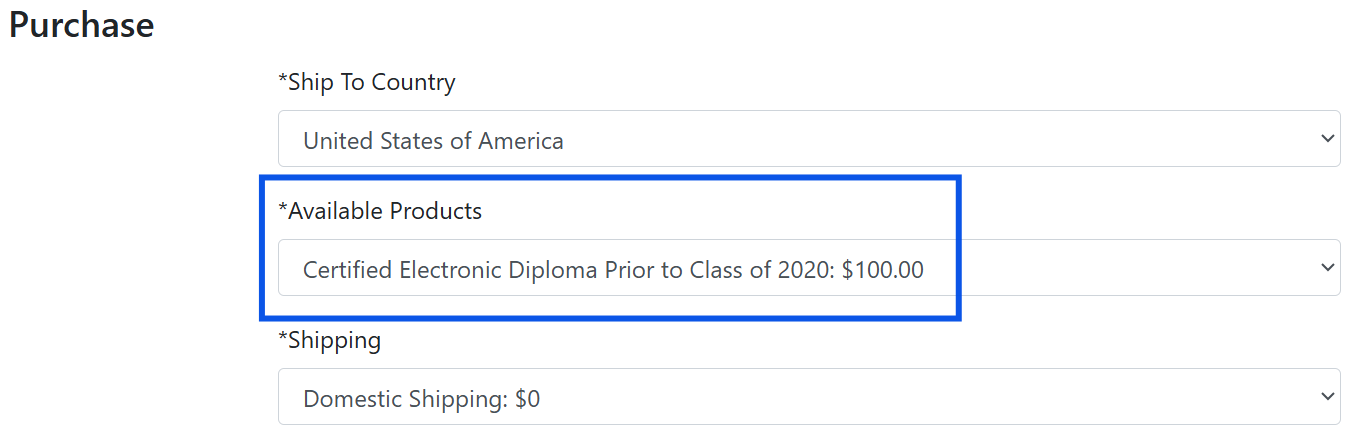
*Ensure that you select the $0 shipping option.
- In the Credential Information section, select the "Other" reason and provide a brief explanation:
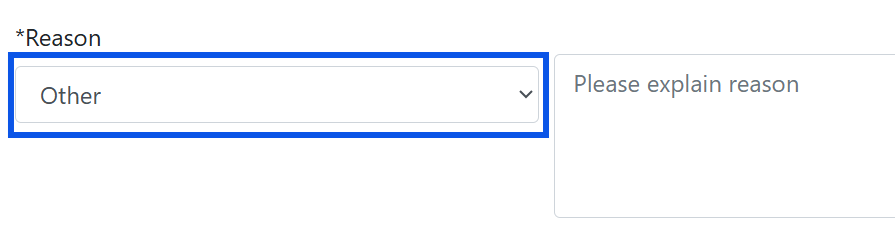
- Complete the Paradigm Credential Request form and pay for the service selected. Payment options include PayPal and credit/debit cards.
Step 3 - Return to the Diploma/Translation Order Request form:
- Acknowledge that you have paid for your selected diploma service.
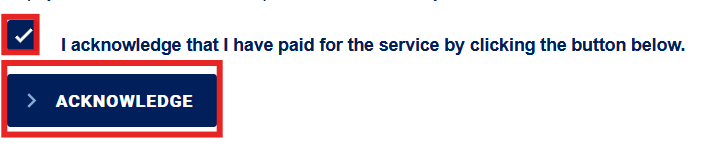
- Click the Submit button on the Diploma/Translation Order Request form to complete your request.
Note: You do not need to attach a document to submit an "Order a Certified Electronic (CE) Diploma" request.
The University of Pennsylvania diploma has been printed in Latin since its first graduating class in 1757. If you would like to read the standard English translation, please click the link here.
Note: Mailed physical diplomas are accompanied by a standard, non-personalized physical English translation of a Penn diploma.
This section outlines the procedures for ordering different types of translations for a Penn diploma:
- Personalized electronic English translation with electronic notarization.
- Personalized electronic English translation without notarization.
- Non-personalized and non-notarized English translation.
The processing time for these services is up to 4 weeks from your completed order date, including payment (if applicable). For recent graduates who have not yet received their diploma, please do not use these services until you have downloaded your CeDiploma or received your physical diploma in the mail. Processing time for these services cannot be expedited. Electronic notarization is accepted by the Pennsylvania Department of State for the purposes of receiving a state seal or apostille.
FOR EXPECTED AND NEW GRADUATES: Translations should only be ordered once your degree is awarded. Please do not purchase until your degree is awarded. At the time of processing, if your degree is not awarded, you will receive a partial refund of your order.
Please select "Receive a Notarized Personalized Electronic English Translation of Diploma" on the Diploma/Translation Order Request form if you require a notarized English translation that includes your diploma name and degree information.
Troubleshooting Form Access Issues:
Recent Graduates: If you need help obtaining or recovering your PennKey credentials, please visit PennKey Support.
Alumni: If you experience issues accessing the form with your PennKey:
1. Log in to Path@Penn using your PennKey credentials.
2. In the Support section select the Path Forms (BP Logix) User Activation link and submit the form for assistance.
The processing time is up to 4 weeks from your completed order date, including payment. For recent graduates who have not yet received their diploma, please do not use this service until you have downloaded your CeDiploma or received your physical diploma in the mail. Processing time for this service cannot be expedited. Electronic notarization is accepted by the Pennsylvania Department of State for the purposes of receiving a state seal or apostille.
To order a notarized personalized electronic English translation of your diploma, complete the following steps:
Step 1 - On the Diploma/Translation Order Request form, select the following service:

Step 2 - On the Paradigm Credential Request payment page, complete the steps outlined below:
- Select the "Notarized Personalized Electronic English Translation: English $25.00" service, choose the destination country, and the shipping method ($0) from the drop-down menus in the Purchase section:
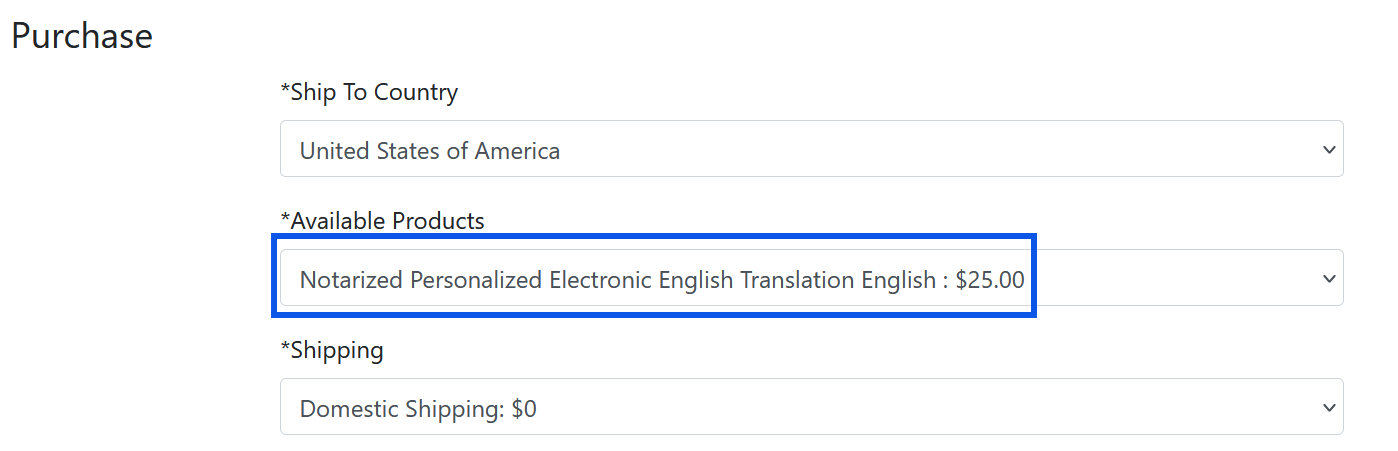
*Ensure that you select the $0 shipping option.
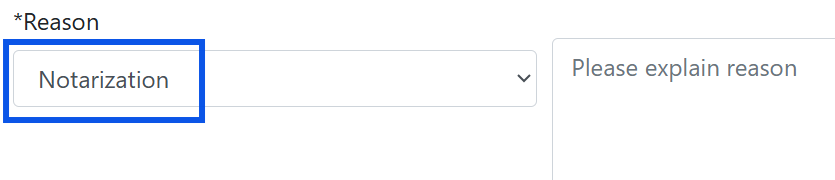
- Select the "Notarization" reason and provide a brief explanation in the Credential Information section:
Complete the Paradigm Credential Request form and pay for the service selected. Payment options include PayPal and credit/debit cards.
Step 3 - Return to the Diploma/Translation Order Request form:
- Acknowledge that you have paid for your selected diploma service.
- Enter a recipient's email address:

- Click the Submit button on the form to complete your request.
Note: You do not need to attach a document to submit a "Receive a Notarized Personalized Electronic English Translation of Diploma" request.
Please select "Receive a Personalized Electronic English Translation of Diploma" on the Diploma/Translation Order Request form if you require an English translation (not notarized) that includes your diploma name and degree information.
Troubleshooting Form Access Issues:
Recent Graduates: If you need help obtaining or recovering your PennKey credentials, please visit PennKey Support.
Alumni: If you experience issues accessing the form with your PennKey:
1. Log in to Path@Penn using your PennKey credentials.
2. In the Support section select the Path Forms (BP Logix) User Activation link and submit the form for assistance.
The processing time is up to 4 weeks from your completed order date. For recent graduates who have not yet received their diploma, please do not use this service until you have downloaded your CeDiploma or received your physical diploma in the mail. Processing time for this service cannot be expedited. Electronic notarization is accepted by the Pennsylvania Department of State for the purposes of receiving a state seal or apostille.
To order a personalized electronic English translation of your diploma, complete the steps outlined below:
Step 1 - On the Diploma/Translation Order Request form, select the following service:

Step 2 - Enter a recipient's email address:
Step 3 - Click the Submit button on the form to complete your request.
Note: You do not need to attach a document to submit a "Receive a Personalized Electronic English Translation of Diploma" request.
Please select "Receive a Standard Electronic English Translation of a Penn Diploma" on the Diploma/Translation Order Request form if you require a standard English translation (not notarized) diploma. Standard English translations do not include your diploma name or degree information.
Troubleshooting Form Access Issues:
Recent Graduates: If you need help obtaining or recovering your PennKey credentials, please visit PennKey Support.
Alumni: If you experience issues accessing the form with your PennKey:
1. Log in to Path@Penn using your PennKey credentials.
2. In the Support section select the Path Forms (BP Logix) User Activation link and submit the form for assistance.
To order a non-personalized and non-notarized electronic English translation of your diploma, complete the steps outlined below:
Step 1 - On the Diploma/Translation Order Request form, select the following service:

Step 2 - Enter a recipient's email address:
Step 3 - Click the Submit button on the form to complete your request.
Note: You do not need to attach a document to submit a "Receive a Standard Electronic English Translation of a Penn Diploma" request.
This section explains the procedures for ordering specialized services related to a Penn diploma:
- Ordering an electronic notarization of an existing physical diploma.
- Expedited processing of a Certified Electronic Diploma (CeDiploma) for graduating students.
- Submitting a case for issues not covered in other sections.
Please select "Get an existing image of my diploma notarized electronically" on the Diploma/Translation Order Request form if you require a notarization of your existing paper diploma. Note: The notarization will be conducted electronically using an image of your existing paper diploma.
Troubleshooting Form Access Issues:
Recent Graduates: If you need help obtaining or recovering your PennKey credentials, please visit PennKey Support.
Alumni: If you experience issues accessing the form with your PennKey:
1. Log in to Path@Penn using your PennKey credentials.
2. In the Support section select the Path Forms (BP Logix) User Activation link and submit the form for assistance.
To order an electronic notarization of your existing paper diploma, complete the steps outlined below:
Step 1 - On the Diploma/Translation Order Request form, select the following service:

Step 2 - On the Paradigm Credential Request payment page, complete the steps outlined below:
- Select the "Notarized Electronic Image of Paper Diploma: $15.00" service, choose the destination country, and the shipping method ($0) from the drop-down menus in the Purchase section:
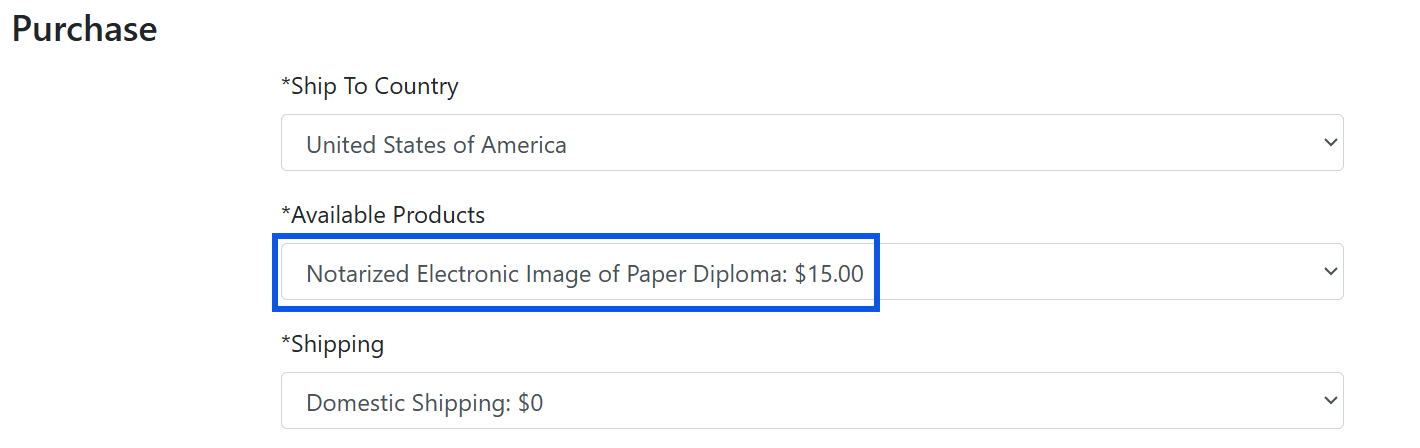
*Ensure that you select the $0 shipping option.
- Select the "Notarization" reason and provide a brief explanation in the Credential Information section:
- Complete the Paradigm Credential Request form and pay for the service selected. Payment options include PayPal and credit/debit cards.
Step 3 - Return to the Diploma/Translation Order Request form:
- Acknowledge that you have paid for your selected diploma service:
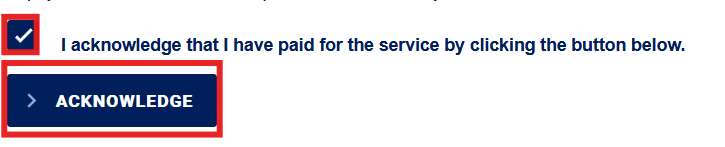
- Enter a recipient's email address:
- Attach a clear image of your existing paper diploma:

- Click the Submit button on the form to complete your request.
August Graduates: The deadline for this service was August 19, 2026.
Recent graduates who have not yet received their original paper diploma must ignore these instructions as they are not applicable. Recent graduates must wait to receive their paper diploma then request to have an image of their paper diploma electronically notarized. Once a recent graduate receives their paper diploma, please follow the instructions of the first question in this sub-section, which asks “I would like to get an image of my existing paper diploma electronically notarized. What do I do?”
If you need an electronic notarization of an image of your paper diploma but do not have a copy of the paper diploma, you will need to obtain a new paper diploma and utilize notarization services.
Troubleshooting Form Access Issues:
Recent Graduates: If you need help obtaining or recovering your PennKey credentials, please visit PennKey Support.
Alumni: If you experience issues accessing the form with your PennKey:
1. Log in to Path@Penn using your PennKey credentials.
2. In the Support section select the Path Forms (BP Logix) User Activation link and submit the form for assistance.
To obtain a copy of your paper diploma in order to electronically notarize an image, complete the steps outlined below:
Step 1 - On the Diploma/Translation Order Request form, select the following service:
Step 2: Select the "Physical Diploma with Electronic Notarizations: $140.00" service, choose the destination country, and the shipping method from the drop-down menus in the Purchase section:
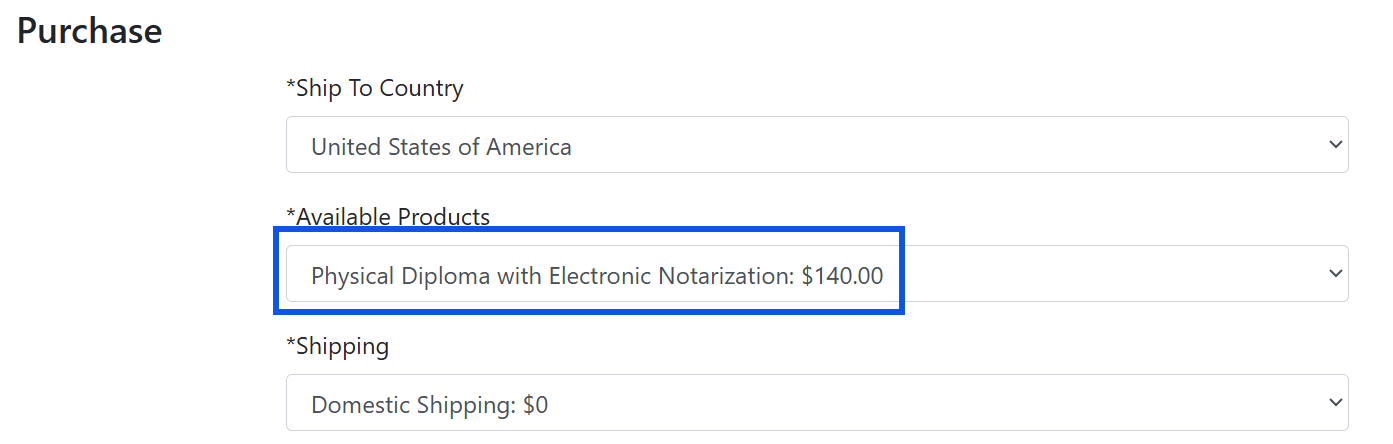
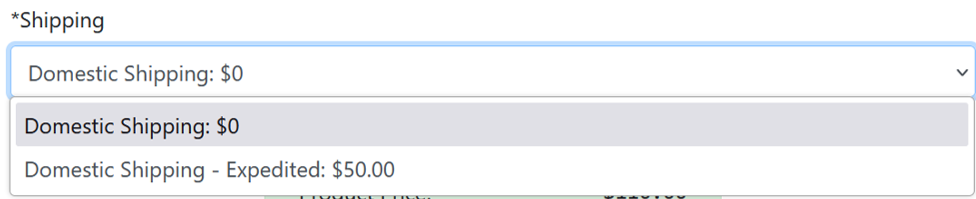
- Select a shipping type from the drop-down menu in the Purchase section:
- Select the "Notarization" reason and provide a brief explanation in the Credential Information section:
- Complete the Paradigm Credential Request form and pay for the service selected. Payment options include PayPal and credit/debit cards.
Step 3 - Return to the Diploma/Translation Order Request form:
- Acknowledge that you have paid for your selected diploma service.
- Enter a mailing address. Note: If a different name other than your own was used, please use the "Street Address 1" field to add "Care of [Name]":
- Click the Submit button on the Diploma/Translation Order Request form to complete your request.
Note: You do not need to attach a document to submit a "Replace my physical diploma" request.
For all requests and inquiries not covered in a service selection on the Diploma/Translation Order Request form, please complete the steps outlined below:
Troubleshooting Form Access Issues:
Recent Graduates: If you need help obtaining or recovering your PennKey credentials, please visit PennKey Support.
Alumni: If you experience issues accessing the form with your PennKey:
1. Log in to Path@Penn using your PennKey credentials.
2. In the Support section select the Path Forms (BP Logix) User Activation link and submit the form for assistance.
Step 1 - On the Diploma/Translation Order Request form, select the following service:

Step 2 - Provide an explanation of your support needs in the Optional Notes section:

Step 3 - Click the Submit button on the form to complete your request.
Note: You do not need to attach a document to submit a "Submit a case for an item not covered" request.

